
Key Takeaways
- Large format printing design requires you to think about where the piece will hang and how far away the audience will be standing.
- Work at a reduced scale — typically 1:4 to 1:6 — and confirm the scale with your large format printing services provider before submitting.
- Large format print resolution of 100-150 DPI at full output size is the standard for most banner and signage applications.
- Pantone colors and CMYK mode prevent the color shift that happens when RGB files go to press.
- Spacing and breathing room matter more at large scale — a crowded design loses its message the further the viewer stands from it.
Large format printing gives brands the ability to command attention at events, trade shows, storefronts, and venues where visibility from a distance is everything. Print technology has improved significantly, delivering brighter colors, sharper detail, and more durable materials than in the past — but the design decisions that determine whether a piece works or fails have not changed.
When designing for large format graphic design, there are several factors to get right before the file goes to press. Get them wrong and the piece looks dated, unclear, or simply does not do the job it was built for. Here are the design tips that matter most.
1. Keep Viewing Perspective in Mind
Good large format graphic design starts with understanding where the piece will be installed and how far away the audience will be when they see it. A banner mounted high above attendees will read differently than one positioned at eye level. The higher the placement, the more you need to compensate by tilting or repositioning key design elements so the viewer perceives them as intended from below.
Designs that are too crowded or busy lose their ability to deliver a message the further they are from the viewer. Simpler, bolder designs hold up at distance. Lead with the most important information — a brand name, a key message, a call to action — and let everything else support it rather than compete with it.
2. Work to Scale for Large Format Graphic Design
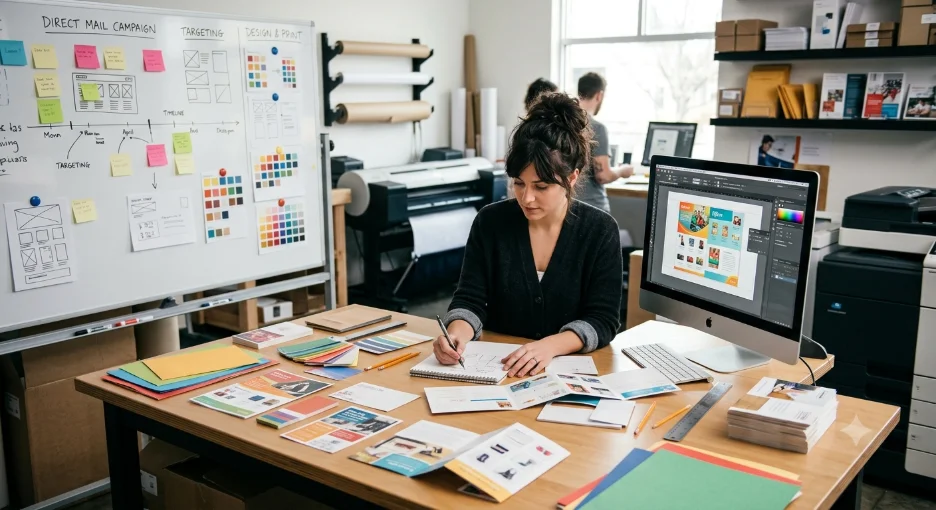
A finished banner printing project can be enormous — the kind of size that is genuinely difficult to work with at full dimensions on a computer screen. The standard approach is to work at a reduced scale, typically 1:4 to 1:6 of the final output size, and design at that size while maintaining the file resolution needed for the finished piece.
When working at reduced scale, use a proportionally high resolution so that when the file is enlarged to final output size, no additional adjustments are needed. Let your large format printing services provider know the scale you worked at so they can plan the output correctly. This step prevents the most common production problem in large format work — delivering a file that looks sharp at small size but goes soft at full scale.
Talk to NextPage About Your Large Format Design Project →
3. Large Format Print Resolution: Getting Color Right
Color in large format printing behaves differently than it does on a screen. What looks right in RGB on a monitor may shift significantly when converted to the CMYK color space used by print production. The solution is to select Pantone colors — universally recognized across printers and the most reliable way to ensure what you see on screen matches what comes off the press.
Keep contrast in mind throughout the design process. Text needs to be readable against the background — dark font on a light background, or vice versa. CMYK mode lets you preview the banner as you design. RGB gives you more color flexibility during the design stage, but make sure the file is converted correctly for production. A quick conversation with your printer before you lock colors will save you a proof cycle.
4. Give Your Design Room to Breathe
Large signage that looks busy and crowded is hard to read and harder to remember. Proper spacing is what organizes the message and makes it easy for the viewer to absorb quickly — which is important in environments like trade shows and events where attention is limited and the viewer is usually moving.
For event banner printing, pay attention to the distance between letters within words, the spacing between lines, and the amount of clear space around key visual elements. Step back from the design and evaluate it at a distance. If it feels crowded, take something out. More space, not smaller content.
5. File Specs to Know Before You Submit
Getting the design right is only half the job. Here is what the file needs to look like when you submit it to your large format printing services provider:
- Large format print resolution: 100-150 DPI at full output size for most applications. Viewing distance affects the number — further away means lower DPI is fine.
- Color mode: Submit files in CMYK. RGB files will be converted at the RIP stage and may produce unexpected color shifts, particularly in brand-critical tones.
- Bleed: Include a minimum 0.5-inch bleed on all edges so that finishing — hemming, grommets, pole pockets — does not cut into live design elements.
- Fonts: Outline all fonts or embed them in the file. Missing fonts will cause production delays and may result in substitutions that affect your design.
- Scale notation: If you worked at reduced scale, note the scale ratio clearly in the file name or submission notes so the production team can output at the correct final size.
Submit Your Large Format Print File to NextPage →
6. Why NextPage for Large Format Printing Services
NextPage is a Kansas City large format printing services provider producing banners, signage, event graphics, vehicle wraps, and environmental displays for brands, agencies, and events teams across the region and nationally.
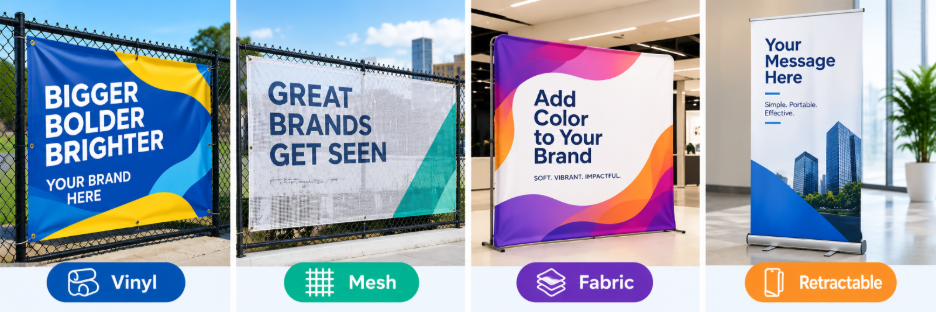
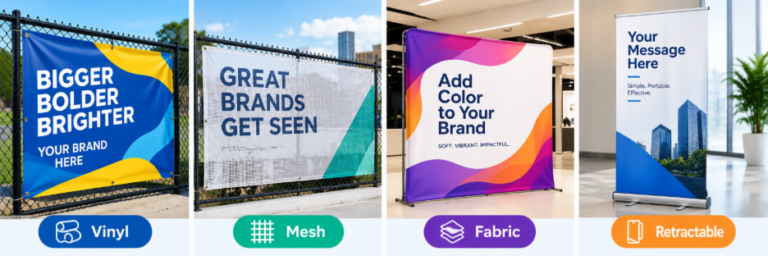
- Full substrate range: Vinyl, mesh, fabric, and film for indoor and outdoor applications.
- UV, solvent, and dye-sublimation printing: Matched to substrate and environment.
- G7 color management: Brand-accurate color output across every run.
- Full finishing: Grommets, hemming, pole pockets, lamination, and mounting in-house.
- 99% on-time delivery: Across 100+ major event partners supported annually.
- Installation support: Hardware, templates, or full on-site coordination.
Get a Large Format Printing Quote from NextPage →
Frequently Asked Questions
What resolution do I need for large format printing?
For most banners and signs, large format print resolution of 100-150 DPI at full output size works well. The further away the viewer stands, the lower the DPI you need — a building wrap viewed from the street is very different from a trade show banner someone walks past at arm’s length.
What color mode should I use for large format graphic design?
CMYK. RGB looks great on screen but shifts at the press stage — sometimes significantly on brand colors. If color accuracy is critical, go with Pantone. Your large format graphic design file will match the finished piece much more reliably.
How much bleed do I need for banner printing?
At least 0.5 inches on all edges. Finishing — hemming, grommets, pole pockets — eats into the edge of the piece, and without bleed, you risk cutting into your design. Check with your banner printing provider if you are unsure.
What file format should I submit for large format printing?
PDF or AI, in CMYK, with fonts outlined and bleed included. If you worked at reduced scale, note the ratio in the file name. Your large format printing services provider can confirm what they need before you finalize.
Does NextPage offer event banner printing?
Yes — vinyl banners, fabric displays, retractable banners, and step-and-repeat backdrops. NextPage supports 100+ major event banner printing clients annually with a 99% on-time delivery rate.