A calendar is used by the majority of direct mail initiatives. When someone thinks it’s time to mail, a file is sent to the printer, a list is pulled, and three weeks later, pieces arrive at doorsteps.
There is nothing wrong with that model. However, performance is being neglected.
The direct mail automation programs with the highest conversion rates don’t use a calendar. Behavior is what drives them. When a customer makes a mistake, a piece is lost. A welcome kit ships when a member joins. A reminder is sent out ahead of the competitor’s when the renewal window opens.
The biggest shift in direct mail automation is not the technology. It is the mindset change from ‘when should we mail?’ to ‘what should trigger a mailing?’ Once that shift happens, production timelines shrink, relevance improves, and response rates follow.
Table of Contents
1. What Is Triggered Direct Mail Automation — and What Does It Deliver?
2. Step-by-Step: How to Set Up a Direct Mail Automation Workflow
3. Common Trigger Types and When to Use Them
4. Direct Mail CRM Integration: Connecting Data to Production
5. Common Direct Mail Automation Mistakes
6. How NextPage Powers Automated Direct Mail Campaigns in Kansas City
1. What Is Triggered Direct Mail Automation — and What Does It Deliver?
A production system that automatically creates and delivers a customized print piece in response to a particular customer behavior or data event is known as triggered direct mail automation. This eliminates the need for manual production initiation for each send.
When a marketer chooses to launch a campaign, production in a standard direct mail program begins. Production in a triggered personalized direct mail automation system begins when a consumer completes an action, such as making a purchase, joining a membership, missing a renewal, or exceeding a date threshold. The performance variable is timing. Because the relevancy window shrank rather than the creative, a win-back piece that arrives 30 days after a customer lapses performs better than the same piece that arrives 90 days later.
The outcomes of NextPage automation implementations show what such timing difference actually results in:
10 days → 24 hrs
Ferrellgas production turnaround after NextPage implemented direct mail automation and variable data printing
10 days → 2 days
ACEP production turnaround after NextPage automated personalized welcome communications for 28,000 members
$40,000
Immediate savings generated for the American College of Emergency Physicians through NextPage’s print automation system
“By automating our print-on-demand process, we significantly decreased staff involvement and turnaround time. We’ve even seen 30% of customers now take action after receiving a reminder mailing, compared to only 15% before.” — Brian Mater, Ferrellgas
Without altering the creative, Ferrellgas doubled the customer response rate from 15% to 30% and reduced production from 10 days to 24 hours. The American College of Emergency Physicians saved $40,000 right away by automating personalized welcome packets for 28,000 members and cutting production time from ten to two days. Eliminating manual production stages from a workflow that didn’t need them is the driving force behind both outcomes.
See How NextPage Builds Automated Direct Mail Workflows →
2. Step-by-Step: How to Set Up a Direct Mail Automation Workflow

Setting up a triggered direct mail automation workflow involves six production stages. Each one determines whether the system runs reliably at scale or breaks under volume.
Step 1: Define Your Triggers
Start with behavior, not creative. Identify the customer actions or data events that should initiate a mailing — and define each with a specific, measurable condition. ‘Customer has not purchased in 60 days’ is a trigger. ‘Customer seems inactive’ is not.
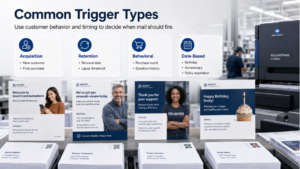
Common trigger categories: acquisition (new customer, first purchase), retention (renewal dates, lapse thresholds), behavioral (purchase events, donation history), and date-based (birthdays, policy expirations, membership anniversaries).
Step 2: Audit and Prepare Your Data
Automation is only as reliable as the data feeding it. Every record needs a USPS-standardized mailing address, the trigger field, any variable personalization fields, and a segment tag. Non-standardized addresses, missing fields, and duplicates produce production failures in an automated system. In a manual campaign, a team member catches these before the file goes to print. In an automated one, the system catches them — or it does not.
Step 3: Build Your Template
A direct mail marketing automation template must accommodate variable content without breaking layout across every version the data might generate. Reserve zones for every variable field, build buffer space around text fields that vary in length, set conditional layout rules, and ensure the design holds across edge cases — empty fields, unusually long values, records missing optional data.
Step 4: Map Data and Set Conditional Logic
Data mapping connects each field in your file to its template placeholder. For personalized direct mail automation, this includes setting the conditional logic that determines which content loads per recipient — which offer, which message, which call to action. Conditional logic errors are the most common production failure in automated direct mail. A recipient receiving a win-back offer on the day they joined damages trust faster than no mail at all.
Step 5: Proof Multiple Versions
Static proofing is not sufficient for automated direct mail campaigns. Every combination of variable content and conditional logic needs review before production — including edge cases and each segment type. Proofing is where automation errors are caught cheaply. Once in production, an error costs reprints, postage, and recipient trust.
Step 6: Connect to Production and Set Delivery Cadence
The final step connects the trigger, data, and template to the print production system. In NextPage’s direct mail automation workflow, when a trigger fires, the system validates the record, populates the template, and initiates production — without manual intervention. Cadence decisions (immediate, batched, or delayed send) are set at this stage based on trigger type. Welcome pieces benefit from immediate send. Win-back pieces often perform better with a short delay to confirm the lapse before committing postage.
Talk to NextPage About Setting Up Your Automation Workflow →
3. Common Trigger Types and When to Use Them
The trigger is the strategic decision in direct mail marketing automation. The wrong trigger — or the wrong threshold — produces mail that arrives too early, too late, or to the wrong audience.
The most underused trigger in direct mail automation is the post-purchase follow-up. Most brands stop at acquisition. The highest-value automation sequences begin after the first transaction — because that is when loyalty is either built or lost.
| Trigger Type | Condition | Best Use |
| New Customer / Member | Record created or first purchase confirmed | Welcome sequences, onboarding guides |
| Renewal Reminder | Expiration date within X days | Insurance, memberships, subscriptions |
| Lapse / Win-Back | No activity for X days | Retail, nonprofits, financial products |
| Purchase Follow-Up | Transaction confirmed | Replenishment, upsell, satisfaction |
| Appointment / Event | Date approaching or passed | Healthcare, associations, event marketing |
| Donation Anniversary | Anniversary of first or last gift | Nonprofits, university fundraising |
4. Direct Mail CRM Integration: Connecting Data to Production
Direct mail CRM integration is the technical layer that connects your customer data system to the print production workflow. Without it, automation requires manual data exports and file transfers at each trigger event — eliminating most of the efficiency the system was built to deliver.
What integration enables: trigger events fire automatically when a data condition is met, variable fields populate in real time from the CRM record, production initiates without manual file transfers, and response data flows back into the CRM for attribution and list hygiene.
For organizations without a formal CRM, direct mail CRM integration can function through structured data feeds, scheduled file transfers, or API connections. The requirement is consistent field formatting and reliable data updates so the production system receives clean input every time a trigger fires. NextPage works with marketing teams to establish the data connection that fits their existing infrastructure.
Ask NextPage About Data Integration Options →
5. Common Direct Mail Automation Mistakes
Triggering on Dirty Data
An automated system that fires on an unvalidated record produces an unvalidated piece of mail. If the trigger field is formatted inconsistently across records, the system will misfire or fail entirely. Data standardization before go-live is not optional.
Single-Version Proofing
Reviewing one version of an automated direct mail campaign template before launch misses conditional logic errors, field overflow issues, and layout breaks that only appear under specific data conditions. Multiple versions — including edge cases — must be reviewed before production begins.
No Response Tracking Built In
An automated system without response tracking produces mail with no measurement loop. Unique QR codes, personalized URLs, and promo codes need to be built into every automated piece from the template stage — not added after launch. Without them, there is no way to attribute conversions, optimize trigger timing, or demonstrate ROI.
6. How NextPage Powers Automated Direct Mail Campaigns in Kansas City
NextPage is a Kansas City direct mail provider managing automated direct mail campaigns for marketing teams, associations, healthcare organizations, nonprofits, and financial institutions — regionally and nationally.
Their direct mail automation infrastructure handles the full workflow: data intake and validation, template setup and conditional logic, automated proofing, digital printing, USPS address standardization, postal optimization, and tracked delivery. When a trigger fires in a client’s data system, the production chain runs — without a staff member manually initiating each step.
- Data preparation — List validation, USPS address standardization, deduplication, and segment tagging before any file reaches production.
- Template setup — Dynamic templates with variable-content zones, data field mapping, and conditional logic rules set per segment.
- Automated proofing — Multiple version reviews including edge cases. Conditional logic verified against the full data range before production.
- Digital printing — Each piece rendered individually in a continuous run — no plate changes, no separate jobs per trigger type.
- USPS optimization and delivery — Postal processing built to USPS specifications at every send, with tracking through delivery.
“By automating our print-on-demand process, we significantly decreased staff involvement and turnaround time. We’ve even seen 30% of customers now take action after receiving a reminder mailing, compared to only 15% before.” — Brian Mater, Ferrellgas
For marketing teams in Kansas City evaluating direct mail marketing automation — or organizations anywhere replacing manual batch production with triggered, data-driven print workflows — NextPage manages the full implementation from data connection through tracked delivery.
Talk to NextPage About Direct Mail Automation →
7. Frequently Asked Questions
What is triggered direct mail automation?
Triggered direct mail automation is a production system that automatically generates and mails a personalized print piece when a specific customer behavior or data event occurs — a new membership, a lapsed subscription, or a purchase anniversary. Unlike batch campaigns, triggered mail fires based on what a customer does, not when a marketer decides to send.
How does direct mail automation improve response rates?
Automated direct mail campaigns improve response rates by reaching recipients at the moment of highest relevance — immediately after a trigger event rather than weeks later on a batch schedule. Ferrellgas doubled their response rate from 15% to 30% after implementing NextPage’s direct mail automation system, without changing the creative.
What is direct mail CRM integration?
Direct mail CRM integration is the connection between your customer data system and the print production workflow. It allows trigger events to fire automatically when a data condition is met, variable fields to populate from the customer record in real time, and production to begin without manual file transfers. NextPage establishes the data connection that fits each client’s existing infrastructure.
What is personalized direct mail automation?
Personalized direct mail automation combines behavioral triggers with variable data printing — so each automatically generated piece is timed to the recipient’s behavior and customized with content relevant to their specific profile. Name, offer, product, donation history, renewal date, and location can all vary per piece within the same automated workflow.
How long does it take to produce and mail a triggered piece?
With NextPage’s direct mail automation system, turnaround is determined at setup based on trigger type, volume, and delivery requirements. Ferrellgas moved from a 10-day production cycle to 24-hour turnaround. The American College of Emergency Physicians moved from 10 days to 2 days for member communications.